Set up a Cactus profile
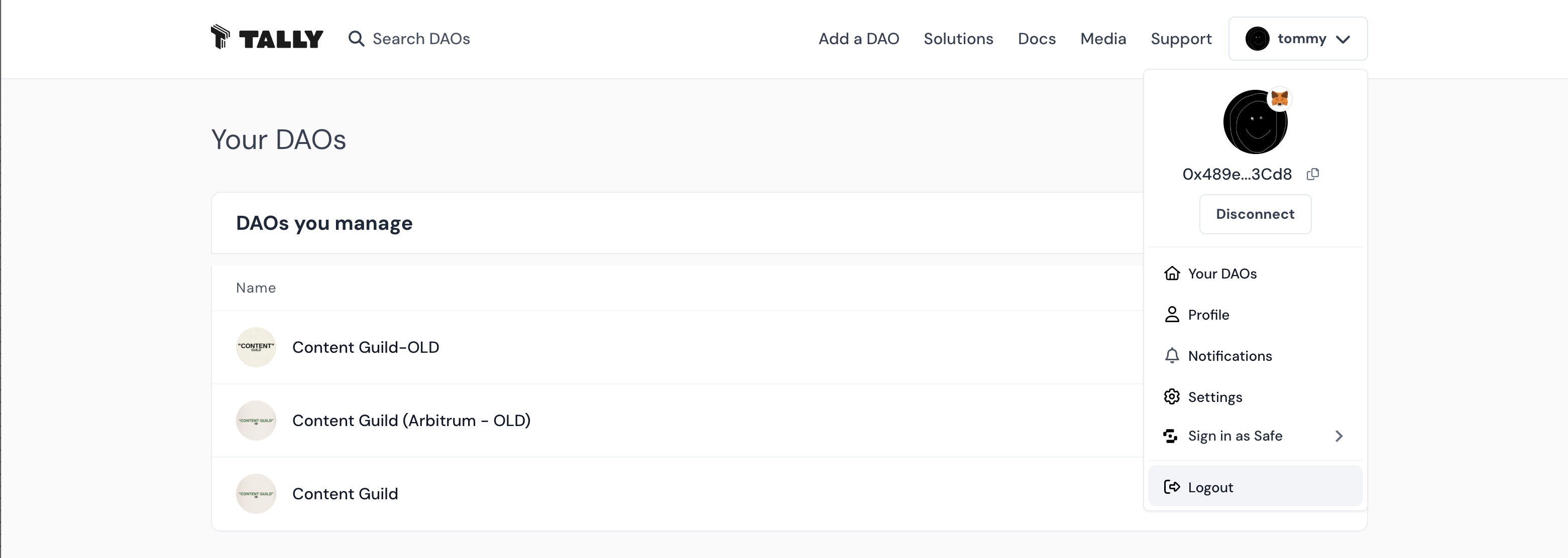
Once you’ve signed in to Cactus, you can click your profile name at the top right to access the profile drop-down menu.
Cactus Profile
Your organizations
The Your organizations page shows all the organizations you’re a member of.
Your organizations shows a list of all of the organizations you’re a member of, split into two sections: organizations you manage (organizations where you have the SuperAdmin or Admin role), and organization memberships. Click on any organization to navigate to its organization Page.
Profile
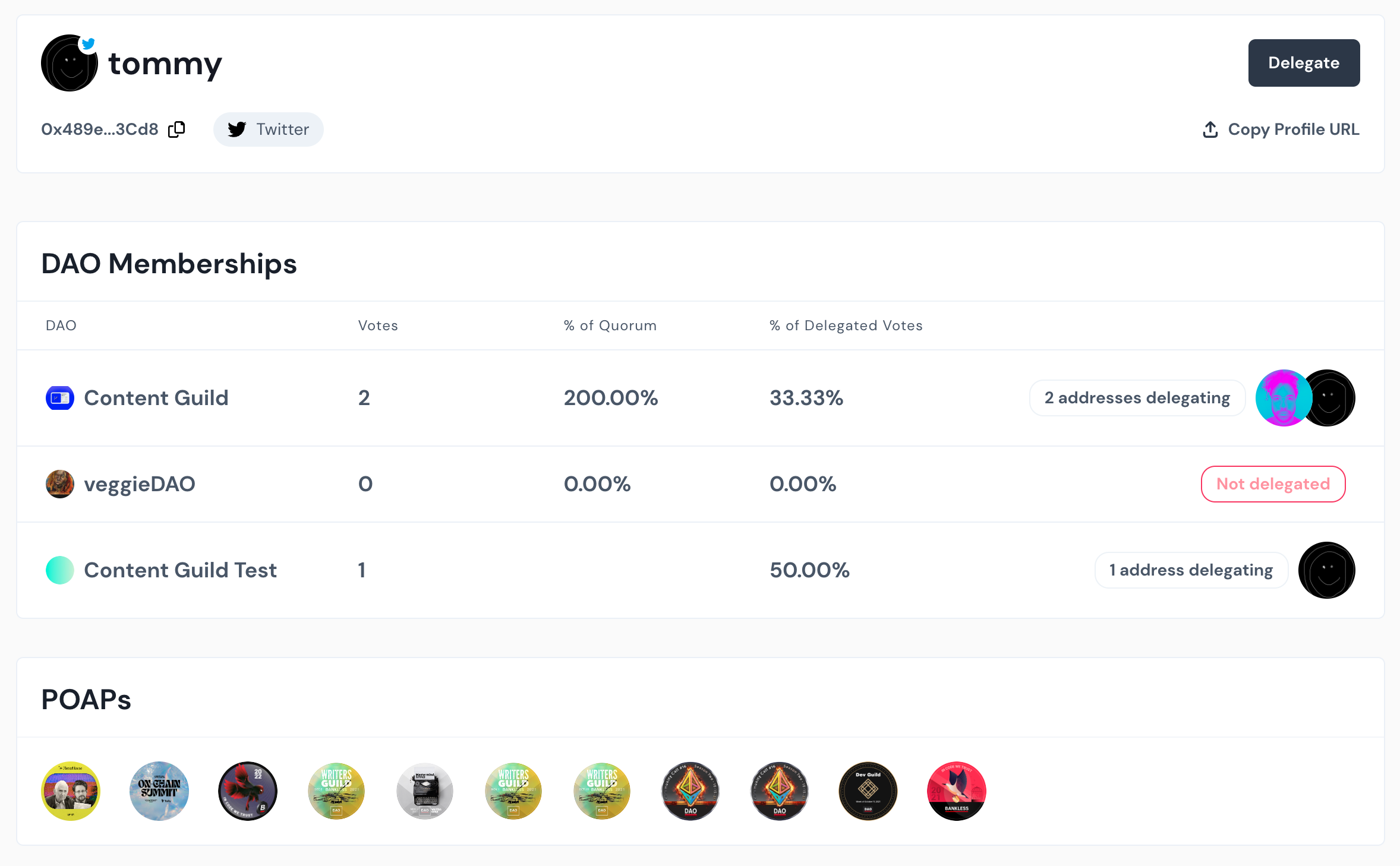
A Cactus Profile shows details about that wallet’s organization Memberships and POAPs. It also includes information the user has added via Settings.
At the top, you’ll see a voter’s display name, wallet address, and linked Twitter account. You’ll also see a Delegate button, which allows you to delegate your voting power to that address.
Below, you’ll see that voter’s organization Memberships, with information on their voting power and delegations for each organization.
The POAPs section displays POAPs held by the address.
Settings
Update the information shown on your Cactus Profile by accessing Settings from the drop-down menu or clicking the Edit Profile button from your Cactus Profile.
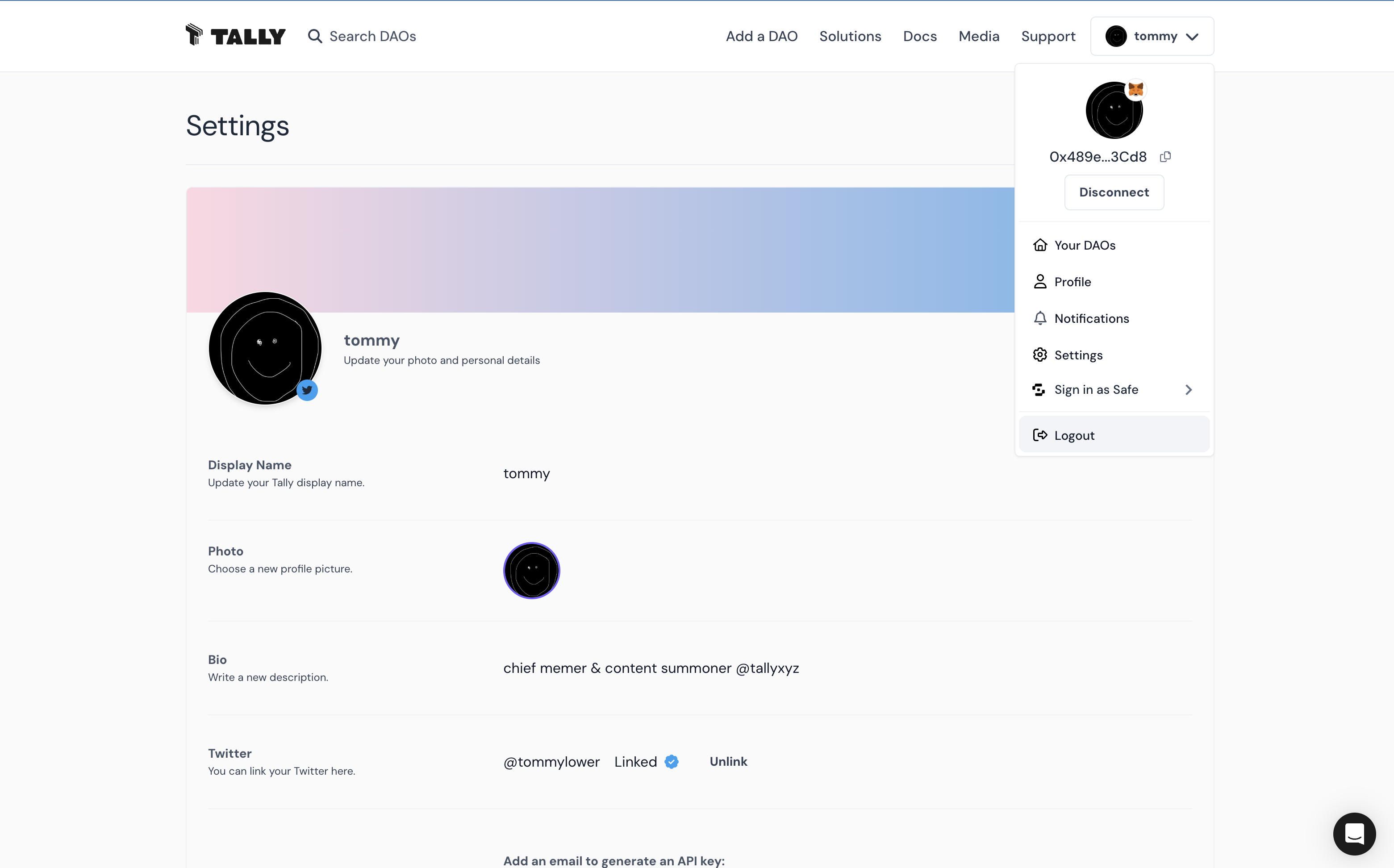
Click the Edit button to make changes.
The information you enter in Settings is public to everyone. The data in your Cactus Profile is a mix of on-chain data and off-chain data. Editing your Cactus Profile adds off-chain data to the on-chain data for your address. In some cases, it overrides the on-chain data (e.g. your Cactus name and avatar override your address’s ENS name and avatar, if any).
- Update your Cactus username.
- Choose a PFP from your wallet or upload an image.
- Update your Bio to tell us a bit about you!
- Link your Twitter account.
- Generate a Cactus API key. Visit our API Portal to learn more!
Log Out
Click Log out to sign out of your Cactus Profile.