Organization settings
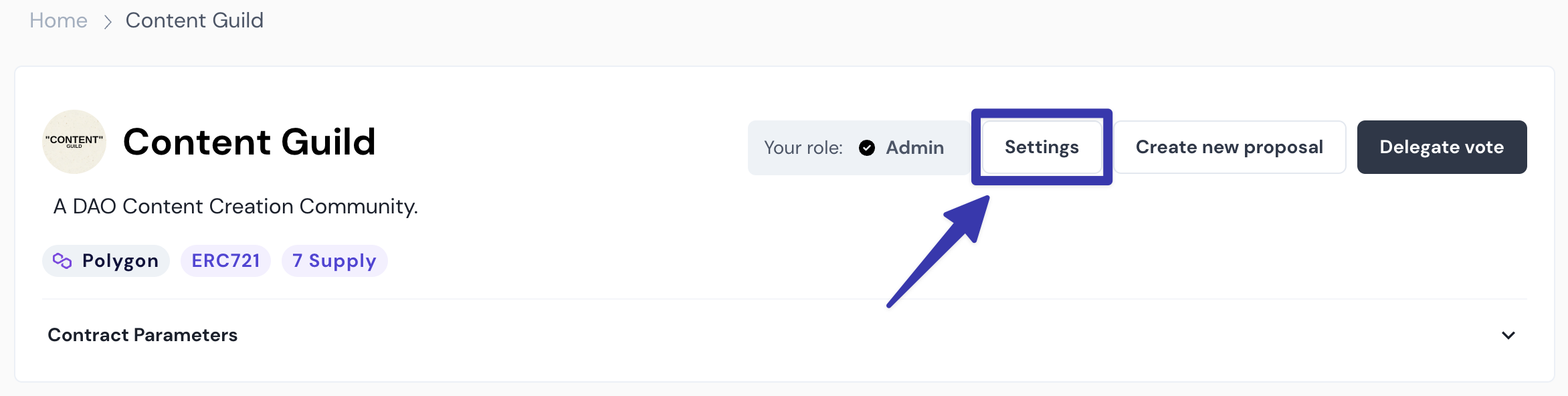
To access the organization Settings page, click the Settings button in the header of your Broken link.
Basics
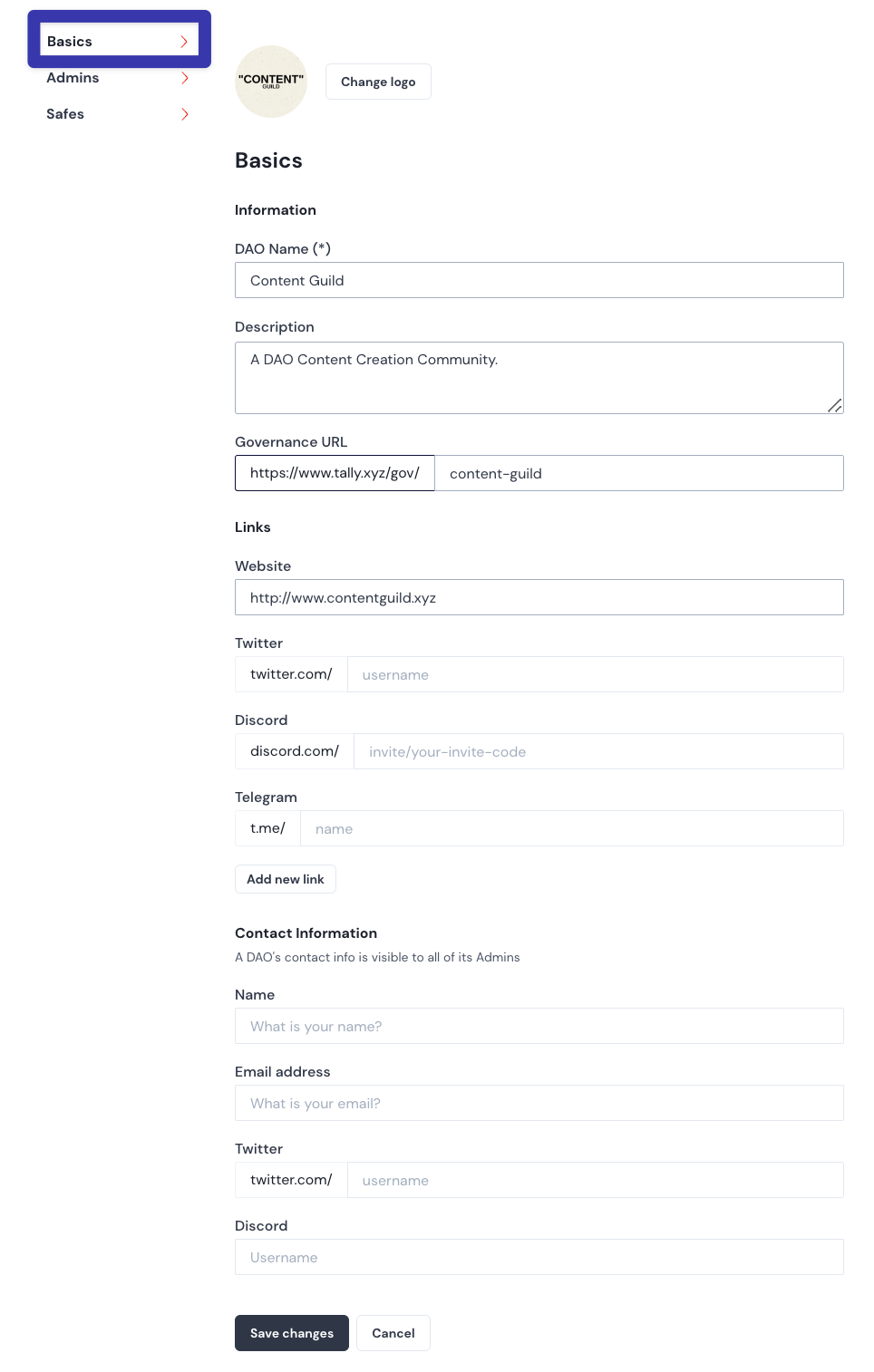
From the Basics tab of organization Settings, you can update all of your organization’s information, including its logo, name, description, and links. You can also include Contact Information for your organization.
Admins
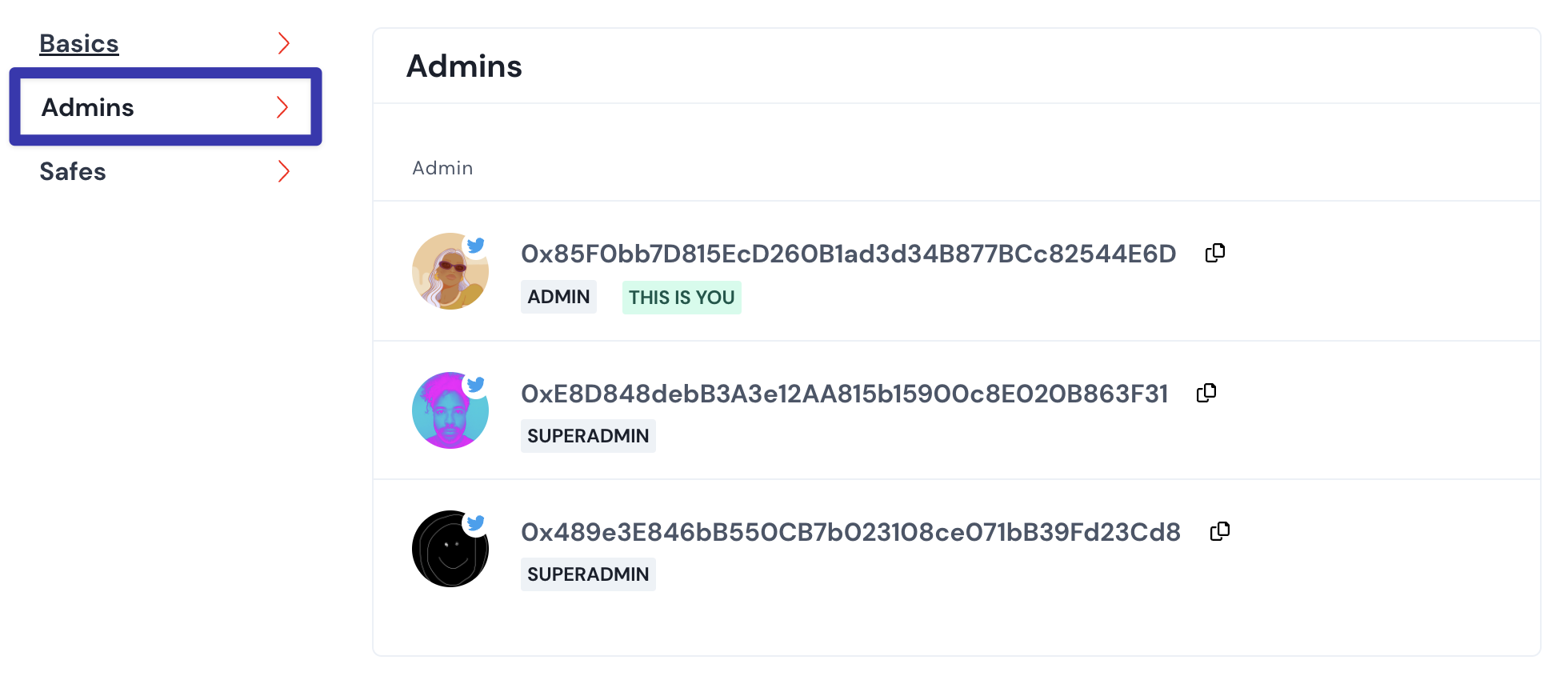
From the Admins tab, view your organization’s Admins and Superadmins. If you have the Superadmin role, you can also add these roles for other wallet addresses.
Safes
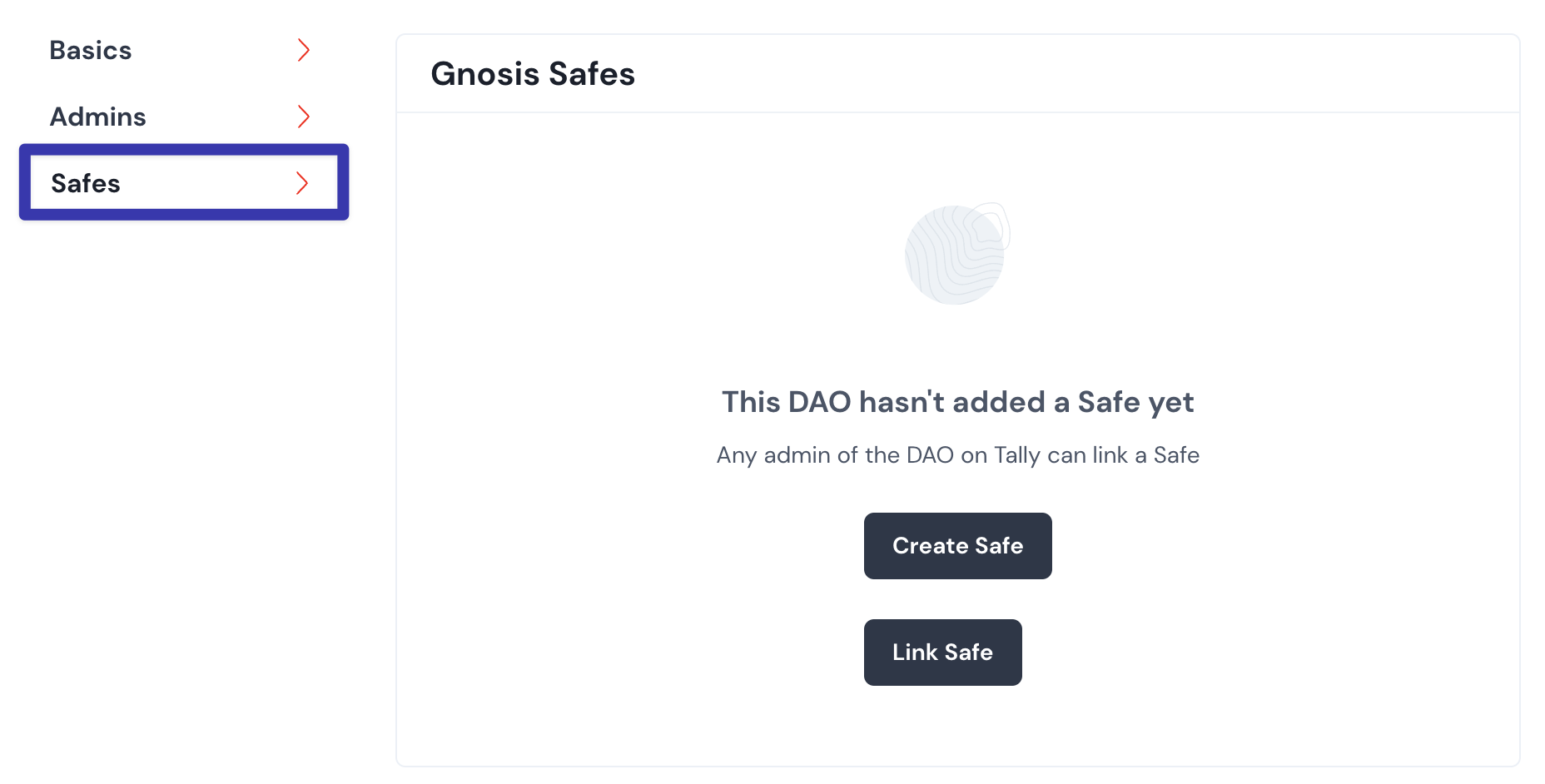
From the Safes tab, you can create or link a Gnosis Safe: